 CloseEase Blog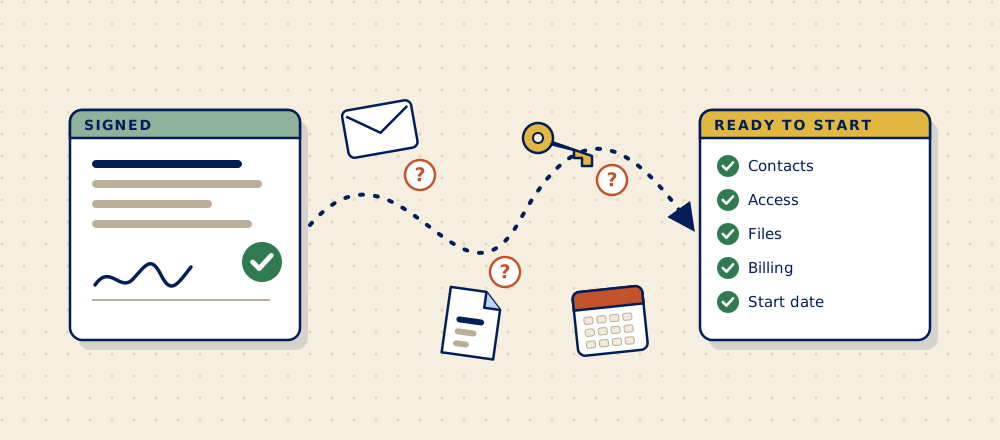
Your client said yes. Now there's a stretch of days, sometimes weeks, where the work is sold but can't start. Most firms run that stretch on memory and email. Here's what should happen in it, in order, and who should own it.
Short answerBetween a client signing and the work starting, five things need to happen: everything promised in the sale reaches the people doing the work, you ask the client for everything you need in one go, the details are set up once in your own tools, one named person owns the whole stretch, and someone checks that the client is actually ready before kickoff. If any of those is left to "whoever remembers", that's where the delay comes from.
Why is the gap between signing and starting so easy to get wrong?
Because it belongs to nobody. Sales considers the job done when the proposal is signed. The people doing the work haven't started yet. So the in-between becomes a game of email tag that everyone plays a little and nobody runs.
Owners describe the same picture over and over: files spread across email, WhatsApp, Slack and Drive, a checklist that's out of date a day after kickoff, and a client asking "did you get my file?" for the third time.1 None of that is anyone's fault. It's what happens when a step has no owner.
It's also expensive in a quiet way. In Asana's survey of 13,123 knowledge workers, 60% of their time went to "work about work": chasing, searching and status updates, rather than the job itself.2 The first weeks with a new client are made almost entirely of that kind of work.
What are the steps, in order?
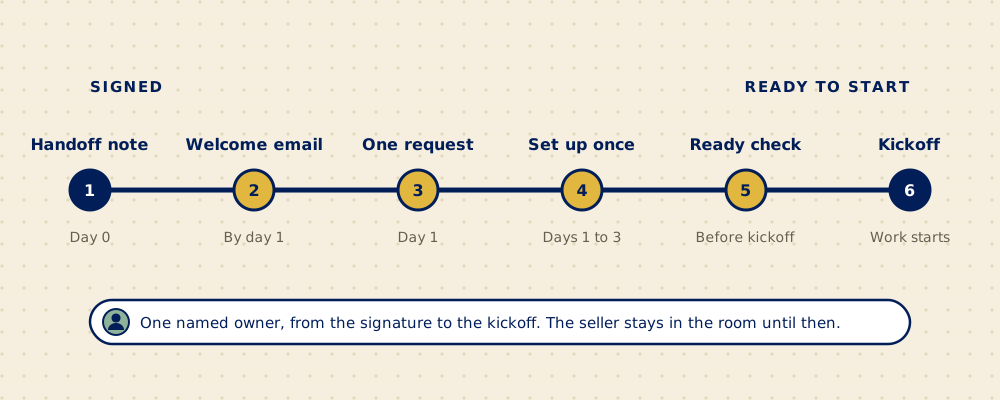
- Write the handoff note before the sales call is cold. One page: what was sold, what was promised on top, who's who on the client's side, the dates, and what the client is worried about. The person who sold it writes it, the same day. (There's a full guide to handing a client from sales to delivery.)
- Send the client a welcome within one business day. Short and specific: who their contact is, what happens next, and when. It's the first thing your client sees from you after paying. Over 90% of people say the companies they buy from could onboard them better,3 which is a low bar you can clear with one good email.
- Ask for everything you need in one request. Contacts, logins, files, approvals, billing details. One form or one list, with what you already know filled in, instead of a dozen emails as each gap turns up. Here's what to ask, and what to leave out.
- Set the client up once in your own tools. CRM, invoicing, project tracker. If someone types the same details into each one, you've found your first fix (more on that in why your team types the same information in three places).
- Check the client is ready to start. Go down the list and mark each item ready, waiting or needs a check. "Ready" means you have it, not that someone said it's coming.
- Hold the kickoff. By now the people doing the work have the full picture, so the meeting is about the work, not about collecting the details you should already have.
Who should own client onboarding?
One named person per client, from signature to kickoff. Not "the team", and not whoever happens to answer the client's email first. In a firm of 5 to 50 people, that's usually an account lead, a project manager or an operations person. The title doesn't matter. What matters is that when someone asks "can we start on this one?", there's exactly one person whose job it is to know.
The salesperson stays involved until kickoff, because they hold the context. They just stop being the owner.
How do you know a client is ready to start?
You can answer yes to all of these without asking around:
- The scope you're about to deliver matches what the client signed.
- Everyone who needs to approve or provide something on the client's side is named.
- You have the access, files and information the first piece of work needs.
- Billing is set up and the client knows when the first invoice comes.
- The start date is confirmed by both sides, in writing.
We turned the full version into a free ready-to-start checklist: 15 things to check between a client signing and the work starting. No sign-up.
What usually goes wrong?
| What you notice | What's usually behind it | The fix |
|---|---|---|
| Kickoff gets pushed because "we're still waiting on a few things" | Requests went out one at a time, as each gap was noticed | One request, sent with the welcome email |
| The client mentions something that was promised, and your team has never heard of it | The promise lives in the seller's head or inbox | A handoff note with a line for promises on top of the scope |
| The start date in the proposal doesn't match the one in the call notes | Details live in several places and nobody compares them | One record per client that the other tools read from |
| Nobody can say which new clients are ready to start | No owner and no shared list | A named owner and a ready-to-start check |
Do you need new software to fix this?
Usually not as the first step. Most firms can fix the order of things, the owner and the single request with the tools they already pay for. Software helps once the steps are clear: connecting your CRM to your invoicing and tracker so details are entered once, or a simple form that collects what you need and shows what's still missing.
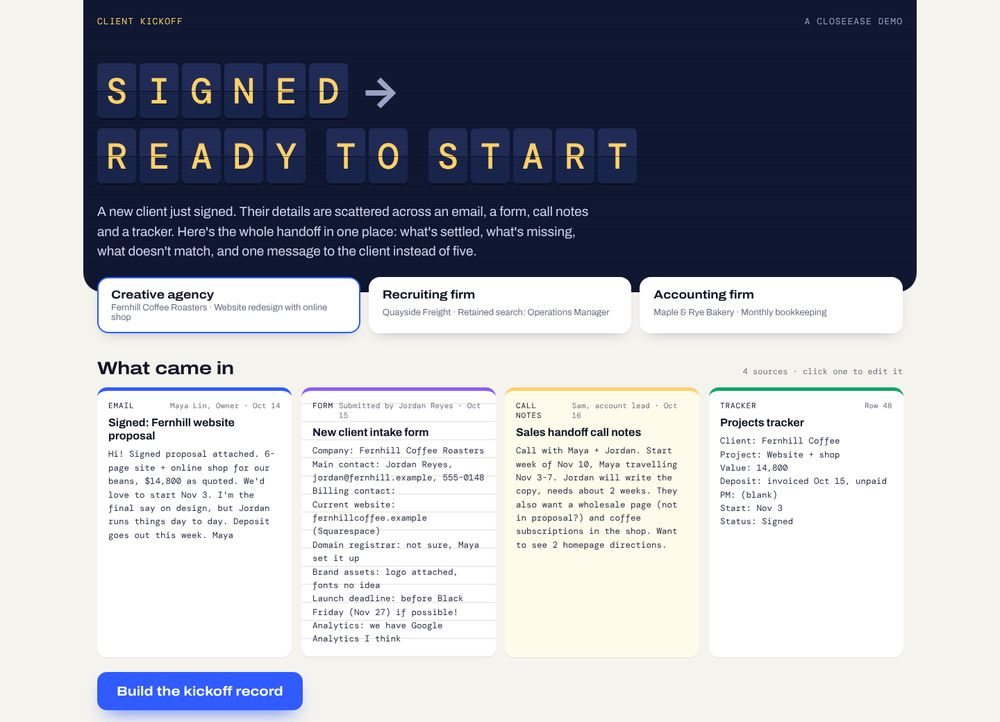
If you'd like to see what that looks like when it's built, our client onboarding page walks through a working demo with made-up firms.
Questions people ask
What's the difference between client onboarding and a kickoff meeting?
Client onboarding is everything between the signature and the start of the work: the handoff, collecting what you need, setting up the client and checking they're ready. The kickoff meeting is the last step of it, where the work itself gets planned with the client.
How long should client onboarding take?
For most agencies and consultancies, the gap between signed and ready to start should be days, not weeks. What makes it long is waiting on information, not doing work. There's more in how long client onboarding should take.
Should the salesperson hand the client over completely?
No. The salesperson should write the handoff note and stay involved until kickoff, because they know what was said in the sale. Ownership moves to one named person on the delivery side as soon as the client signs.
Can client onboarding be automated?
Parts of it can: the welcome email, the request for information, reminders for what's missing, and copying the client's details into each tool. The handoff note and the ready-to-start check still need a person, because they rely on judgement about what was promised and what's good enough.
What should you fix first?
Name one owner per new client and send one request instead of many. Those two changes cost nothing and remove most of the chasing.
Sources
- "The messy middle after yes", Indie Hackers, a business owner's account of what happens after a client signs.
- Asana, Anatomy of Work Index 2021. Survey of 13,123 knowledge workers in seven countries, October 2020. Asana sells work management software.
- Wyzowl, Customer Onboarding Statistics 2020. Survey of 216 customers. Wyzowl makes onboarding videos.