 CloseEase Blog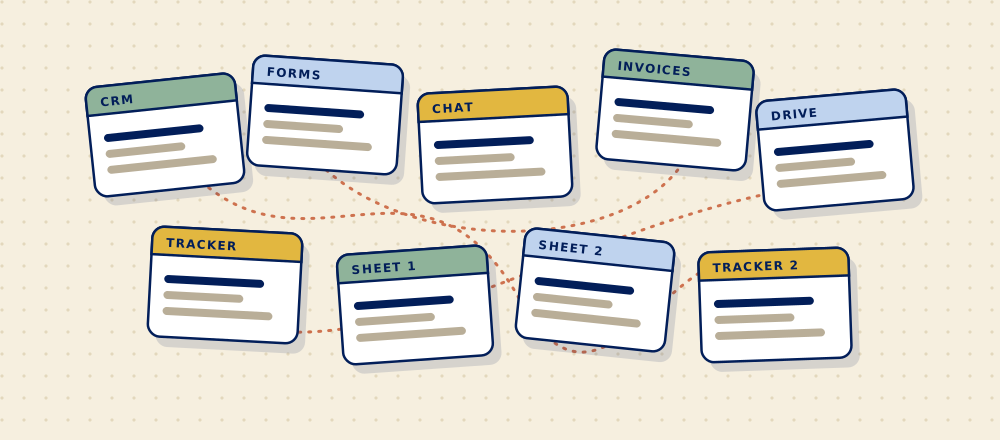
Somewhere along the way you ended up with a CRM, two project tools, a forms app, a shared drive, an invoicing tool, three spreadsheets that "really should be in the system", and a chat app that's become the actual system. You're not alone, and the fix is usually smaller than replacing everything.
Short answerTo work out which tools your team actually needs, list every one and answer three questions for each: who uses it every week, what information lives only there, and what it's connected to. Tools nobody uses weekly can go. Tools that hold the only copy of something stay until it's moved. And the tools your team copies information between by hand are where the real cost is, whatever the subscription says.
How did you end up with so many tools?
One sensible decision at a time. Each tool was bought to solve a real problem, usually by whoever had that problem, and each one does its own job well. Nobody was in charge of how they fit together, because when you have three tools that's not a job. At fifteen, it is.
It happens at every size. Zylo, which sells software to manage software, reports that companies with up to 500 employees run about 152 apps on average, and that the typical company wastes millions a year on licences nobody uses.1 A 20-person firm has fewer, but the pattern is the same: more subscriptions than anyone can list from memory.
How do you audit your tools in an afternoon?
Open a spreadsheet and fill in one row per tool. Check the company card statement so you don't miss the ones somebody signed up for on a free trial in 2023.
| Tool | Cost per month | Who uses it weekly | What lives only here | Connected to | Decision |
|---|---|---|---|---|---|
| Example: forms app | $40 | Office manager | Intake answers from 2024 on | Nothing (answers copied by hand) | Connect |
| Example: second project tool | $90 | One person | Nothing | Nothing | Cut |
| Example: CRM | $150 | Everyone | Clients, deals, history | Keep |
Example rows only. Use your own tools and costs.
Each tool ends up with one of three decisions: keep it, cut it, or connect it to the others so nobody has to copy between them.
Which tools should you cut?
- Tools that one person uses for something another tool already does.
- Paid seats for people who've left or never logged in.
- Tools kept "just in case" that hold nothing you'd miss.
Before you cut anything, export what's in it. A tool that holds the only copy of your client history isn't unused, it's an archive, and it needs a new home first.
Is the number of tools really the problem?
Usually not. The bigger cost is in the gaps between them: the moments where a person reads something in one tool and types it into another. Follow a new client through your firm and count how many times their details are typed by hand.
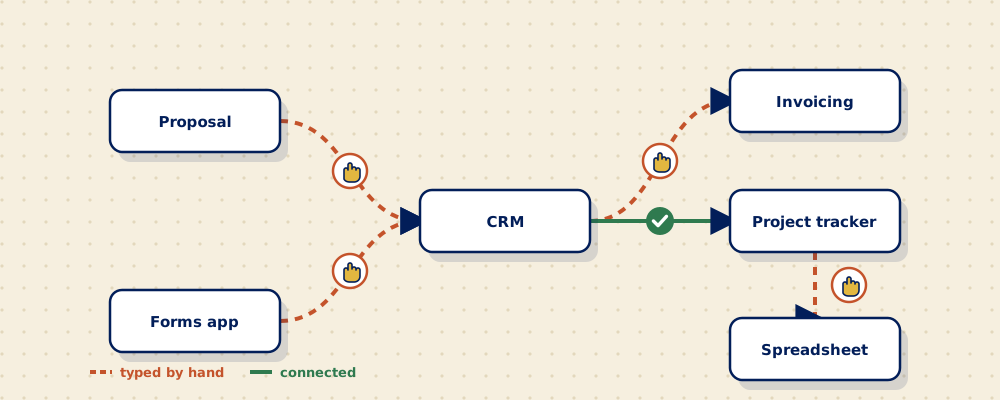
Those gaps add up. In Zapier's survey of workers at firms with fewer than 250 staff, data entry (moving information from one app to another) was the most dreaded task, and people estimated they spent 17.3 hours a week on repetitive work that could be automated.2 That figure is self-reported and comes from a company that sells automation, so treat it as a sign of how it feels rather than a precise measure. The feeling is real either way: the copying is the part of the job everyone hates.
The gaps also make finding things slow. McKinsey estimated that people in roles like these spend about 19% of their working day searching for and gathering information.3 More tools means more places to look.
Should you replace everything with one system?
Rarely as the first move. Moving everything to one platform is a big project, and it can leave you with one system that does several jobs worse than the tools it replaced. A better order:
- Cut what nobody uses.
- Merge tools that do the same job.
- Connect the rest, so information is entered once and shows up where it's needed.
- Only then, replace a group of tools with one system where the connections keep breaking or the copying can't be removed any other way.
Sometimes step four is the right answer. If your CRM, inbox, quotes and invoicing all live in separate tools and every new client means copying between them, one system that covers those jobs can be simpler than four connections. That's the reason we built the CloseEase CRM. But it's a decision to make after the audit, not instead of it.
If you'd rather not untangle it yourself, a Find follows one workflow through your tools, shows where it breaks, and gives you a written recommendation and a quote before anything is built.
Questions people ask
How many software tools should a small business have?
There's no right number. What matters is that every tool is used every week by someone, does a job no other tool does, and doesn't need someone to copy information into it by hand. A 20-person firm with ten well-connected tools is in better shape than one with five that don't talk to each other.
How do you find all the software your company pays for?
Go through the last three months of company card and bank statements, then ask each team what they log in to every week. The statements catch forgotten subscriptions, and the question catches free tools that hold important information.
What's the difference between cutting a tool and connecting it?
Cutting means you stop paying for it and move anything important out. Connecting means you keep it, but link it to your other tools so information flows between them on its own instead of being retyped.
Is an all-in-one platform better than separate tools?
Sometimes. An all-in-one system makes sense when the same information keeps being copied between several tools and the connections keep breaking. If your separate tools each do their job well and can be connected, keeping them is usually cheaper and less disruptive.
How often should you review your tools?
Once a year is enough for most firms, plus whenever someone wants to add a new one. Before you buy, check whether something you already pay for can do the job.
Sources
- Zylo, 2025 SaaS Management Index, January 2025. Based on software spend Zylo manages for its customers. Zylo sells SaaS management software.
- Zapier, "Knowledge workers' most dreaded tasks", April 2021. Survey of 1,000 US knowledge workers at businesses with fewer than 250 employees, run by OnePoll.
- McKinsey Global Institute, "The social media productivity payoff", 2012.